

It happened on a normal job. A studio client shoot. The photos came out so good and the client was really happy. Then it came time to edit. Some of the photos were just… gone.
If you’ve been there, you know the feeling. Whether you deleted them by accident yourself or the card just stops reading your files. Your stomach drops and you start searching for anything that might get them back.
What I found wasn’t great. The tools that actually worked only ran in a terminal, typing commands into a black window, or they were extremely expensive. Not what you want when you’re already stressed.
So I built the one I wish I’d had.
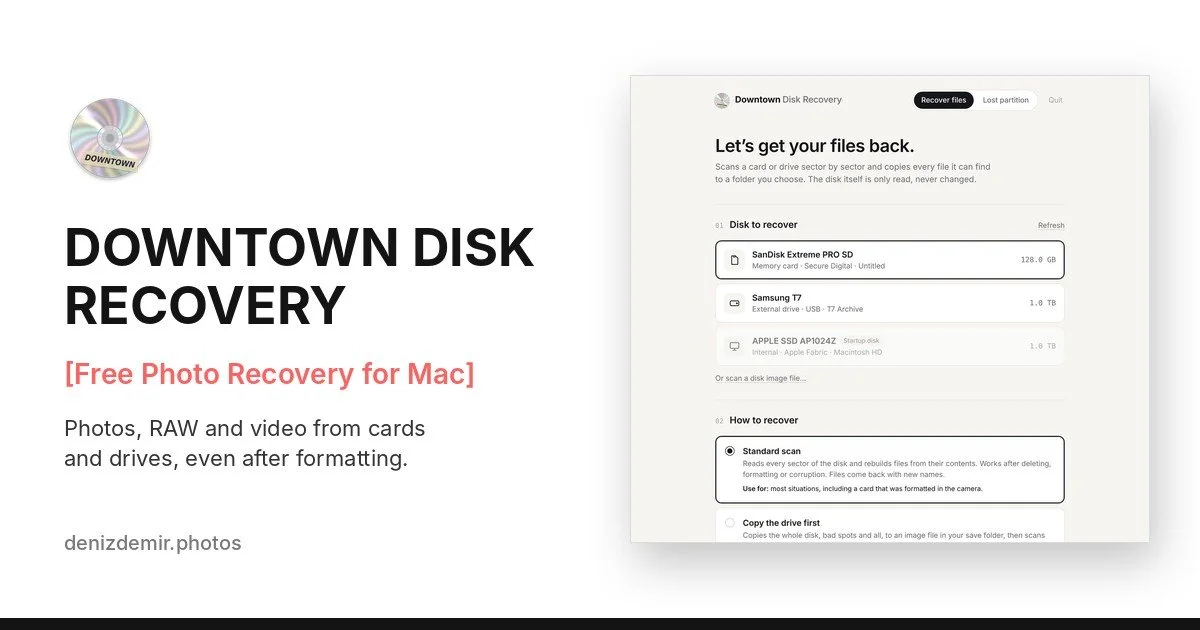
Downtown Disk Recovery
[Free Photo Recovery for Mac]
It’s a free app for Mac. You pick the card, choose what you’re looking for, and let it work. It finds photos, RAW files from Canon, Nikon, Sony, Fujifilm and more, video, and 480+ other file types, even after a card has been formatted. It only reads the card, never changes it, and everything stays on your Mac.
I started from a free, open-source tool by developer Christophe Grenier and, with the help of Claude Code, gave it new features and a front end that makes it much sexier to use.
Download Downtown Disk Recovery →
If it ever happens to you
Stop using the card straight away. Don’t shoot on it and don’t format it. Every new photo can write over the ones you lost.
Save what you recover to a different drive, never back onto the same card.
Back up before you format. Two copies of every shoot, then clear the card.
I hope it can help some of you get your photos back. And honestly, I hope you never need it.
Deniz